Can Claude edit images?
Not on its own. Claude can look at an image and describe it, but it does not change photos or illustrations by itself. Add an image connector such as Tintloom and it can: you say what to change, or paint over one area, and the edited image appears in the chat.
Checked on . Written by the team behind Tintloom, an independent image connector for Claude.
What Claude does with an image on its own
Anthropic’s help center says: “Claude can also view and analyze images you upload.” Source: Can Claude produce images? (Claude Help Center).
- It can look at a picture, describe it and answer questions about it.
- It can tell you what to change and write the instructions for an image tool.
- It does not return a changed photo or illustration by itself. That needs an image connector.
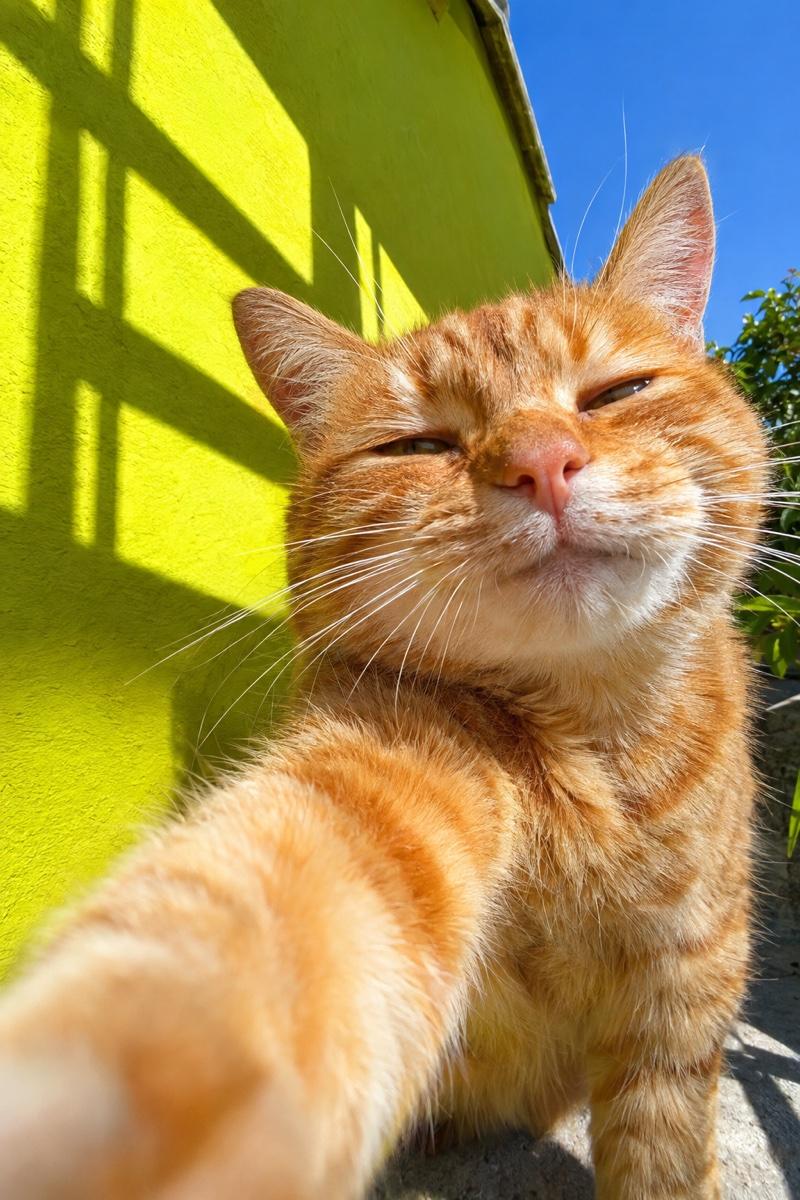
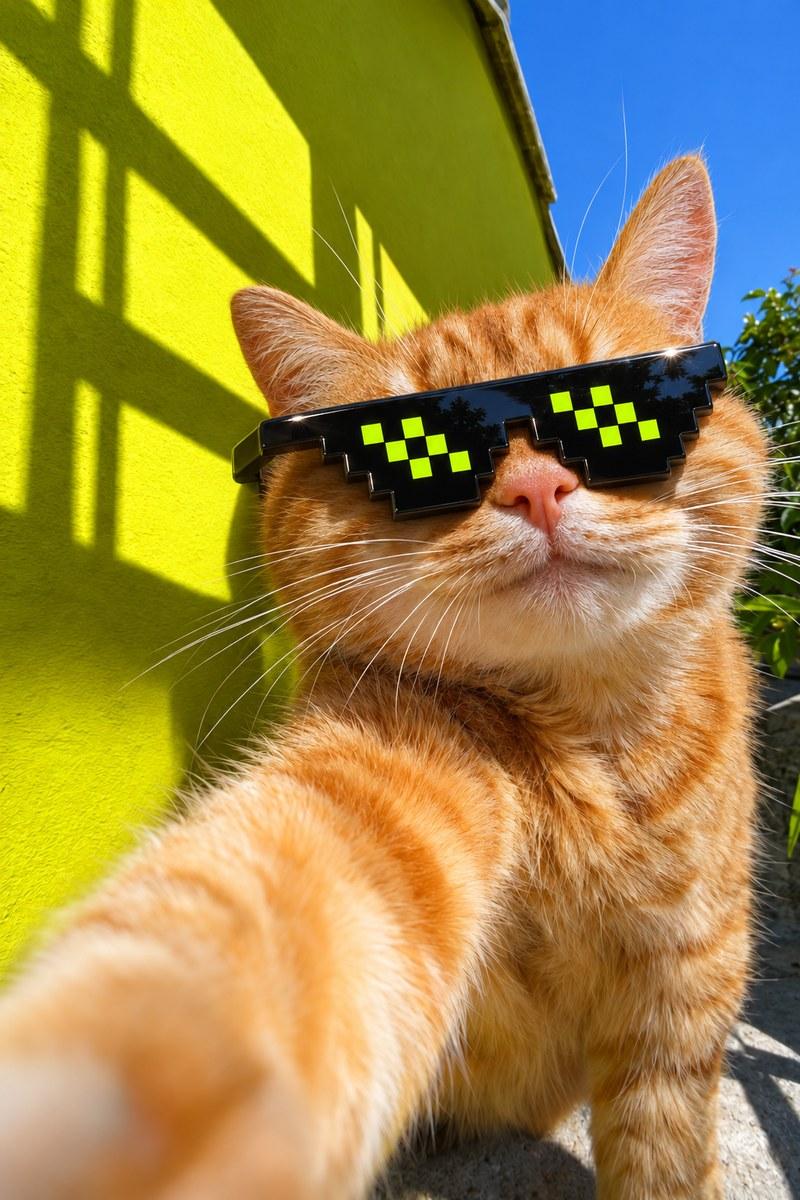
One edit, before and after
Both pictures were made with Tintloom in a Claude chat. The second is the first with one area painted over and one sentence.
What you can change with Tintloom
In the Claude apps on the web, desktop and phone, an image from Tintloom opens as a card with these tools. In Claude Code you get the image file and a link, and you ask for changes in words.
Describe the change
Say what you want in a sentence, such as “make it night”. The whole picture is redrawn with the change, so small details elsewhere can shift.
Select
Paint over one area and say what goes there. Only that area changes; everything outside it is kept exactly as it was.
Erase
Paint over something to remove it. The gap is filled in to match what is around it.
Remove background
The subject is redrawn on a transparent background and comes back as a PNG. It is a redraw, not a pixel-exact cut-out, so fine details can change.
Resize
Change the shape to square, portrait, story, landscape or widescreen. The scene is kept and extended to fit.
Variations
Three new takes on the same image.
Comment
Pin notes on exact spots and send them together.
How to edit an image in Claude
Add Tintloom to Claude
Press the button on this page, then Add and Connect in Claude. You create your account on the way. It is free to start, with no payment details.
Make an image first
Ask for a picture in any chat. Tintloom edits the images it made in that chat.
Say what to change
Type the change, such as “make the wall orange”. To change one part only, open the image, choose Select, paint over the part and say what goes there.
If Claude answers in words instead of changing the picture, start with the connector’s name: “Use Tintloom to…”. Steps for each app are on the connect page.
Limits to know
- Only an edit made with Select or Erase keeps the rest of the picture exactly as it was. A change described in a sentence redraws the whole image.
- Select and Erase need one of Tintloom’s models that can edit one area. If you ask for a model that cannot, the edit runs on the default model instead. The models page lists them.
- Remove background is a redraw on a transparent background, not a pixel-exact cut-out.
- Tintloom edits still images. It does not make or edit video.
- Tintloom will not make images of a real person without their consent, or images that impersonate a real person or company to deceive. See acceptable use.
Questions
Can Claude edit photos?
Not by itself. Anthropic’s help center says Claude can view and analyze images you upload; it does not say Claude changes them. With an image connector such as Tintloom, Claude can edit an image the connector made in the chat: you describe the change and the new picture appears.
Can Claude change one part of an image and keep the rest?
Yes, with Tintloom in the Claude apps. Open the image, choose Select, paint over the part to change and say what goes there. Everything outside the painted area stays exactly the same.
Can Claude remove the background from an image?
With Tintloom, yes. Remove background redraws the subject on a transparent background and returns a PNG. It is not a pixel-exact cut-out, so check fine details such as hair or thin lines.
Can Claude resize or crop an image?
With Tintloom you can change an image’s shape to square, portrait, story, landscape or widescreen. It keeps the scene and extends it to fit the new shape, which is different from cropping.
Can it edit a photo I upload to the chat?
Not reliably. Tintloom edits the images it made in the same chat. Whether a photo you attach reaches a connector depends on the Claude app, so we do not promise it. On this site, the YouTube thumbnail maker takes a photo of your own and builds the picture around it.
Does image editing work in Claude Code?
Yes, in words. Claude Code shows the image file and a link, not the editor card, so you ask for the change in a sentence. The paint-over tools are in the Claude apps on the web, desktop and phone.
What does an edit cost?
Tintloom is free to start, with no payment details. After that plans start at $4.99 a month, or $49 a year with 2 months free, or you can buy a one-time top-up from $5. An edit costs more than a new image at the same quality, because the original image is sent along with the request.
Is Tintloom made by Anthropic?
No. Tintloom is an independent product from Fleet and Fury LLC. It is not made, endorsed or sponsored by Anthropic.
Where to go next
Can Claude generate images?
What Claude makes on its own, and how to add image generation.
How to make a YouTube thumbnail in Claude
The steps, an example request and what YouTube asks for.
YouTube thumbnail maker
Make a thumbnail on this site, with your own photo if you like.
Tintloom is an independent product. It is not made, endorsed or sponsored by Anthropic.